Layntra connects
Codex to Figma
through MCP.

Inspect selections. Edit real layers. Undo changes. Local and open source.

Codex ↔ local MCP server ↔ Figma Desktop

Install.

Download the release, run the Codex installer, then import the Figma companion from manifest.json.

  1. 01
  2. 02

    Install in Codex

    ./scripts/install.sh
  3. 03

    Import in Figma Desktop

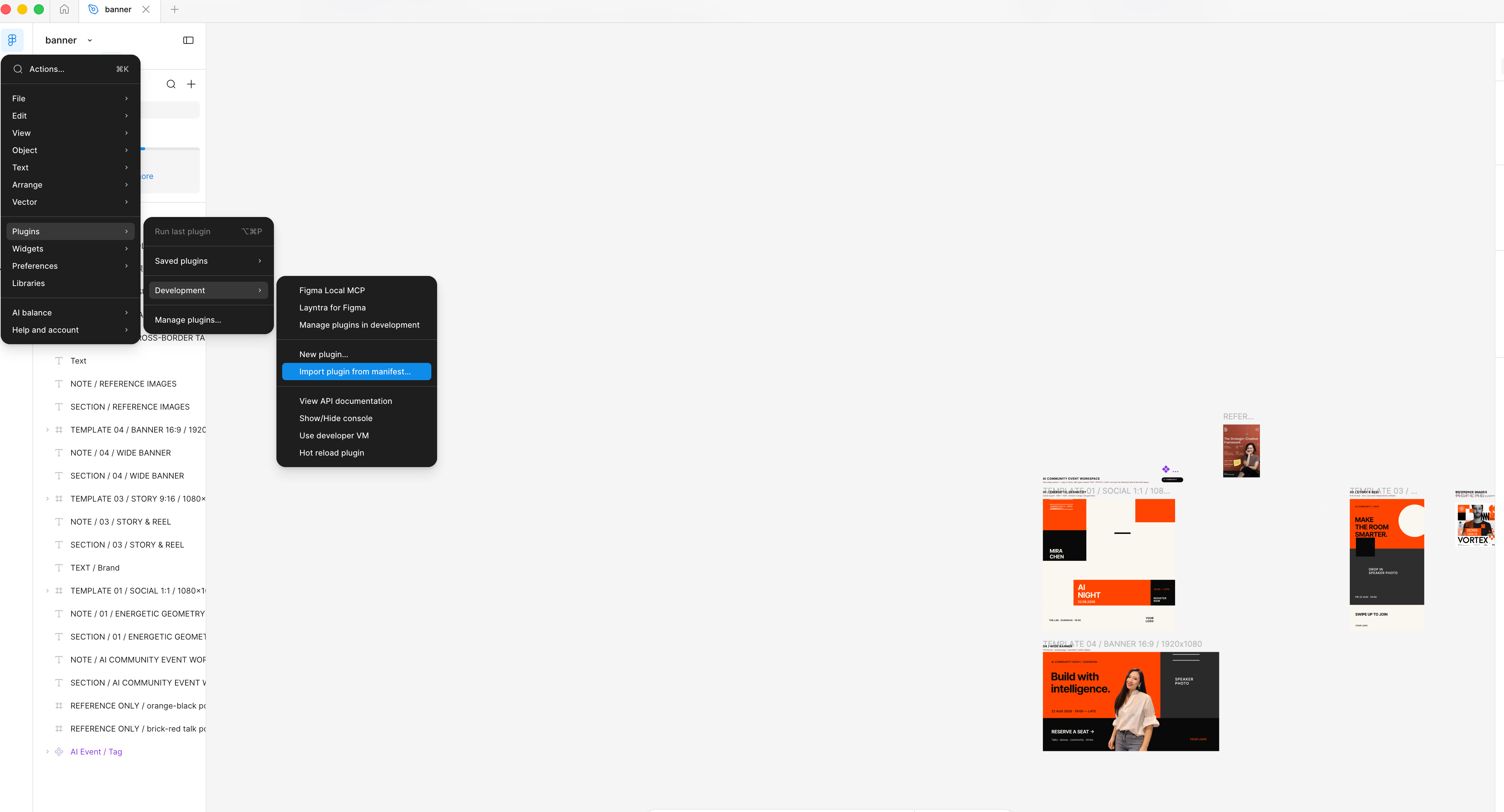
    Plugins → Development → Import plugin from manifest

    Illustrated guide
Figma menu path: Plugins, Development, Import plugin from manifest
Choose the included manifest.json.

Layntra works where Figma Design plugins are permitted. It does not bypass Figma permissions or plan restrictions.